
Log Your First Reptile Care Event
Events are how Scutely builds each animal’s care history. This page walks you through logging your first one and shows where to find it later.
Log a feeding
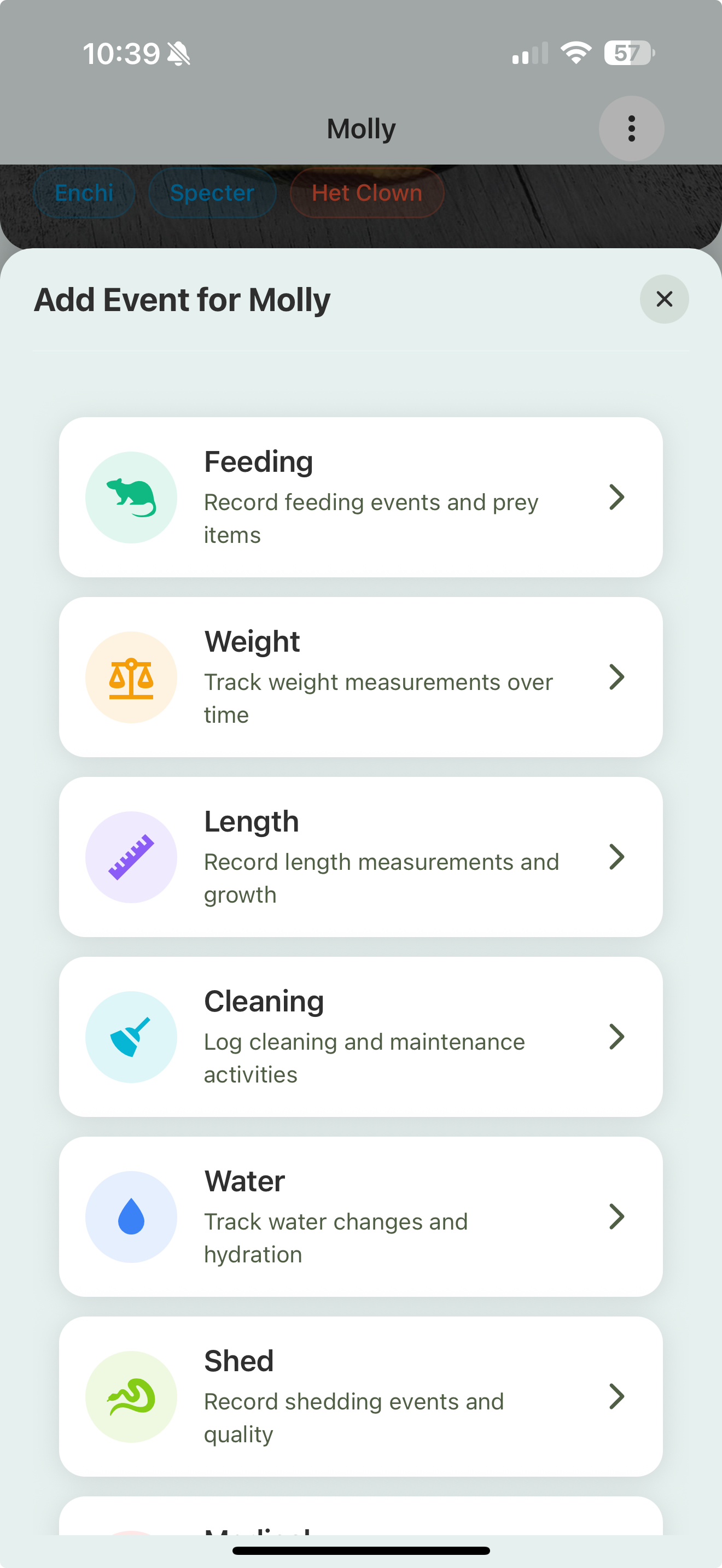
- Open an animal from your Library.
- On its dashboard, tap Log Event (or the + on the animal).
- Choose Feeding from the event type list.
Fill in the feeding
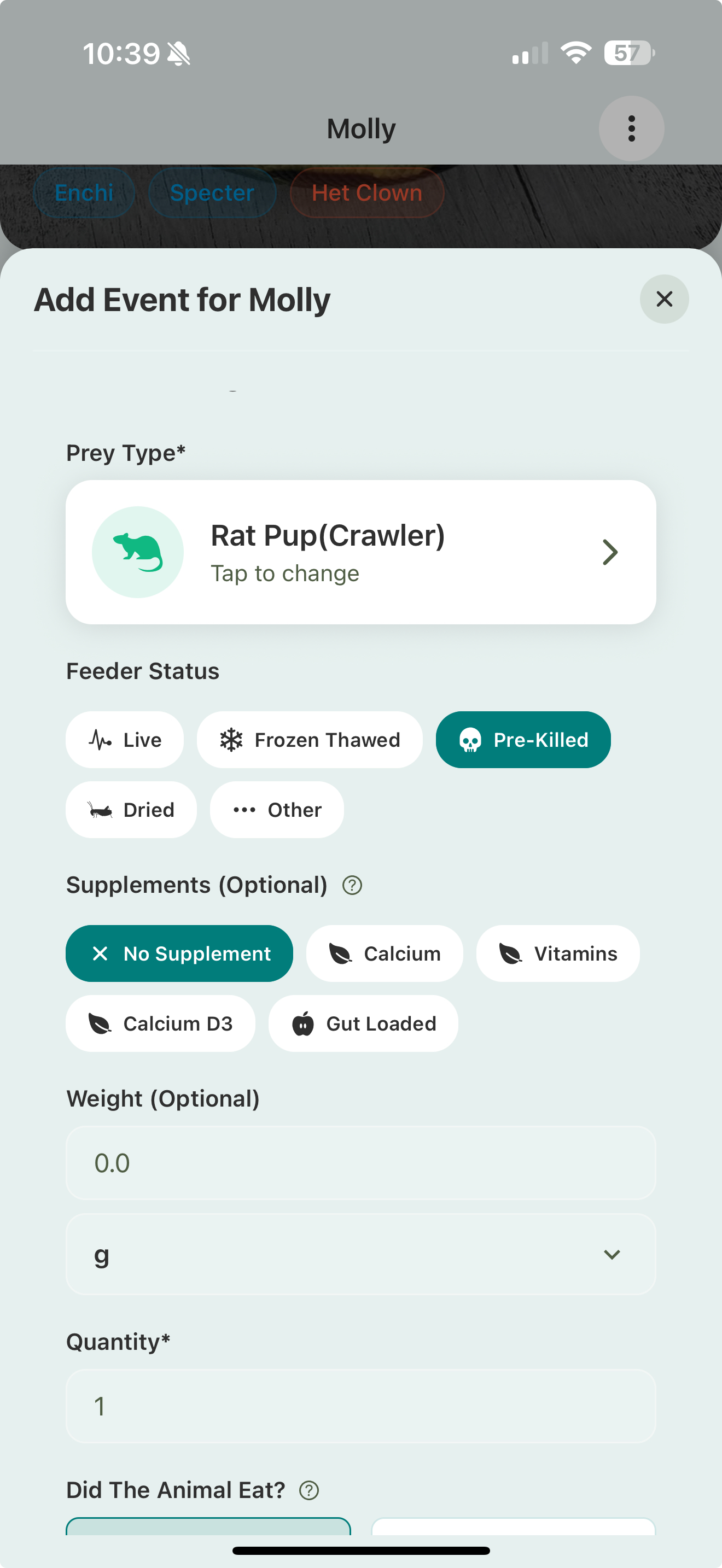
- Prey type — tap to pick the prey item (e.g. Rat Pup). This defaults to the animal’s current food item.
- Feeder status — live, frozen-thawed, pre-killed, dried, or other.
- Supplements (optional) — calcium, vitamins, D3, gut-loaded, or none.
- Weight (optional) — the prey’s weight, if you track it.
- Quantity — how many were offered.
Did it eat, and when?
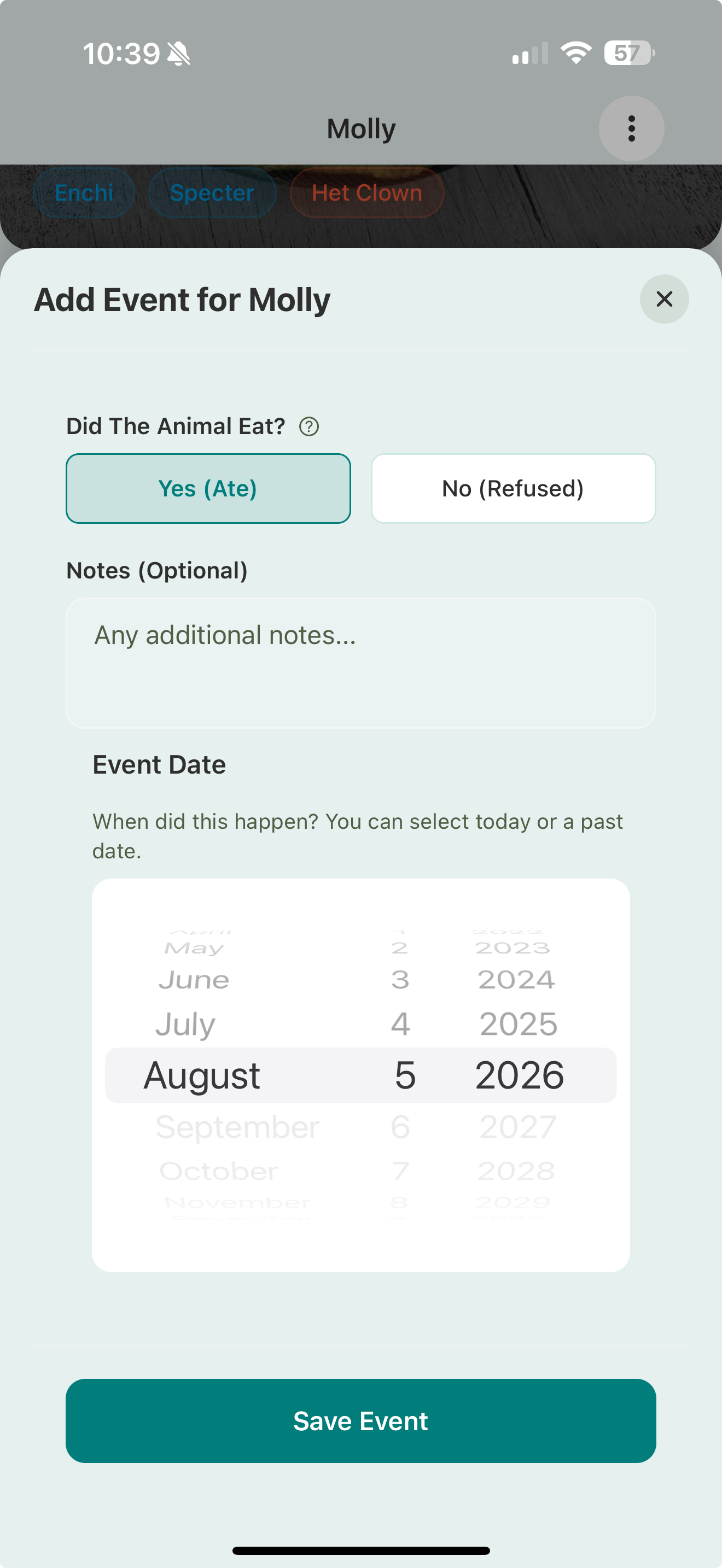
- Did the animal eat? — Yes (Ate) or No (Refused). A refusal is still worth logging.
- Notes (optional) — anything worth remembering.
- Event date — defaults to today, but you can backdate it to catch up on records.
Tap Save Event. The feeding now shows in the animal’s history, and its dashboard updates to show when it last ate.
Other events work the same way
From the same Log Event menu you can record:
- Weight and length — with growth charts over time
- Shed or molt — including quality
- Cleaning and water changes
- Temperature readings — humidity is recorded as part of cleaning and water events
- Medical events and treatments — see Medical events & treatments
- Your own custom event types — see Custom event types
Log for several animals at once
If you’re running a feeding day, you don’t have to open each animal one by one. The QR scanner has a multi-scan mode that lets you log the same event for a whole batch. See QR scanner & multi-scan.
Next
From here, explore your collection or set up breeding.