
Export Your Reptile Records
Your records are yours. Scutely exports them as standard CSV files you can open in any spreadsheet. Use them for backups, your books, or moving data somewhere else.
What you can export
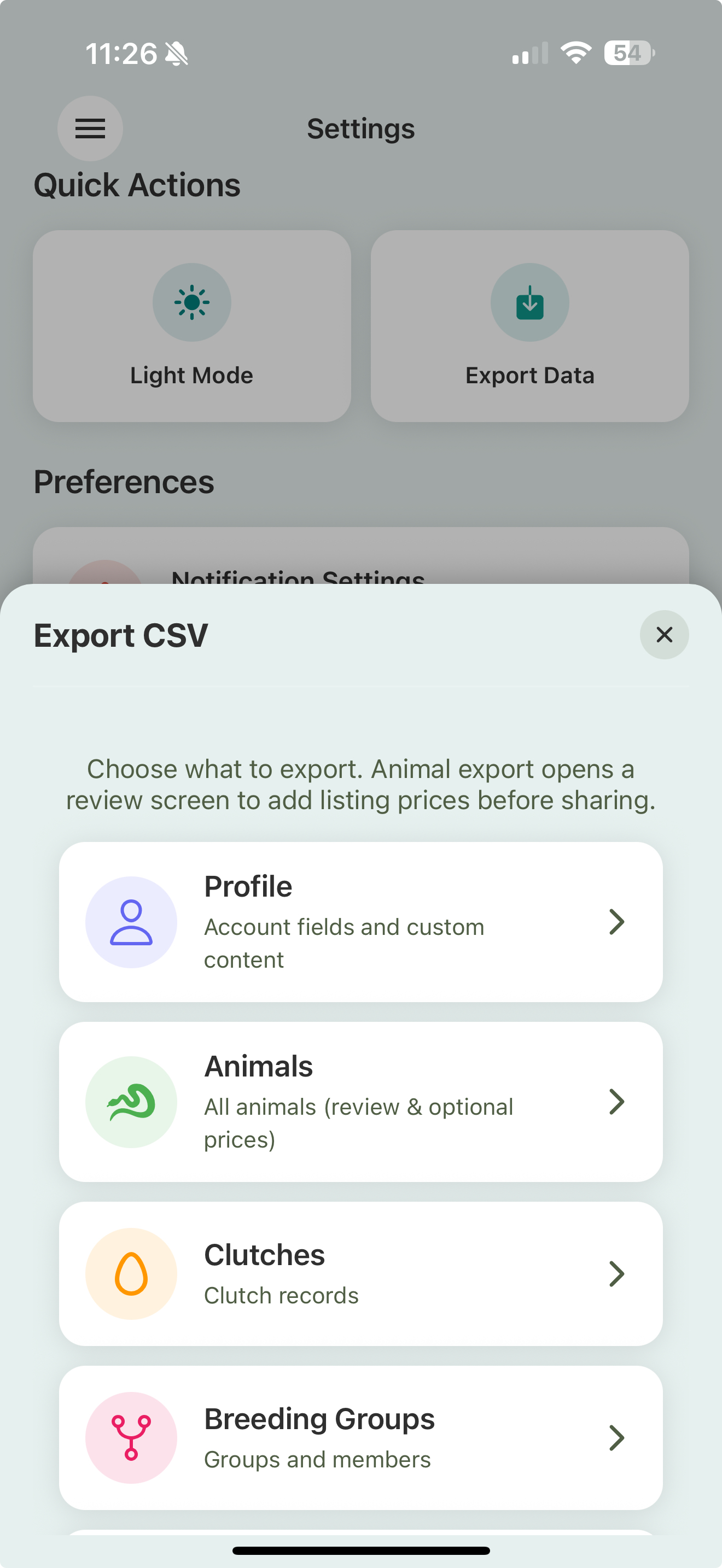
From Settings → Export Data:
- Animals — your collection with its details. You’ll get a review step where you can set optional listing prices before exporting.
- Clutches — your clutch records.
- Breeding Groups — your pairings and seasons.
- Profile — your account details and custom content.
The file saves through your device’s share sheet, so you can send it to yourself, drop it in cloud storage, or open it right away.
Exporting one animal, or a selection
You don’t have to export everything:
- From an animal’s profile — export just that animal, or just its event history, as CSV, or format it for MorphMarket.
- From the Library — multi-select animals and export the selection as CSV or in MorphMarket format.
- From a scan — multi-scan a batch and export those animals the same way.
MorphMarket export
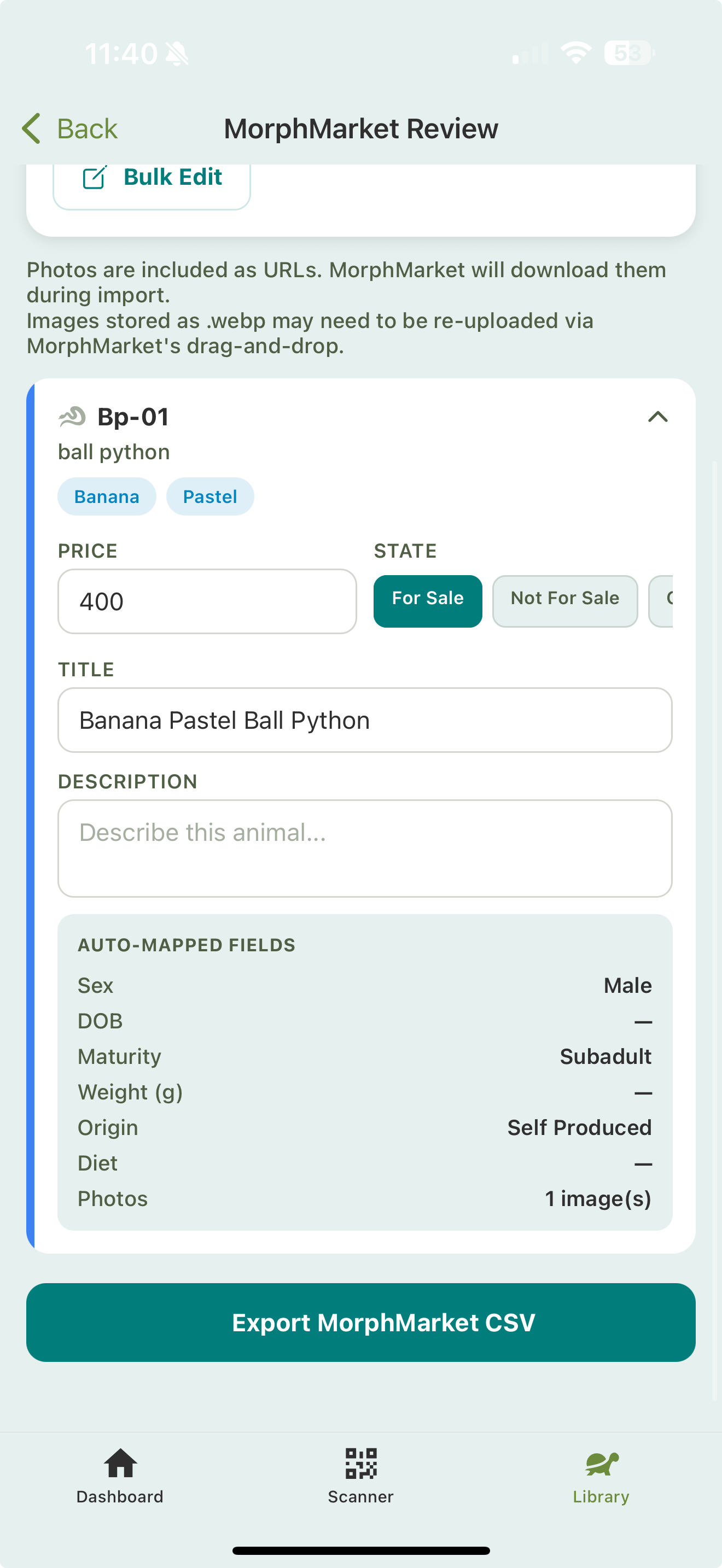
Selling on MorphMarket? The MorphMarket export formats your animals as a listing file, with traits, sex, availability, and details arranged the way MorphMarket expects. A review screen lets you check each animal’s traits and set its availability (for sale, not for sale, or on hold) before you export. It saves re-typing your available animals one by one.
On the review screen you can set a price and state per animal, edit the title and description, and bulk-apply a price or description across a selection. The rest (sex, weight, origin, diet, photos) is auto-mapped from each animal’s profile.
MorphMarket export is available from an animal’s profile, from a Library multi-select, and from a multi-scan — wherever you’re working with the specific animals you want to list.
Related
- Adding animals & Smart Import — the other direction: getting data in
- Deleting your account — export first if you’re leaving