
How to Transfer Reptile Ownership Records
When you sell or give away an animal, you can transfer it in Scutely so the new owner gets the animal with its full history: care records, traits, lineage, and photos all come along.
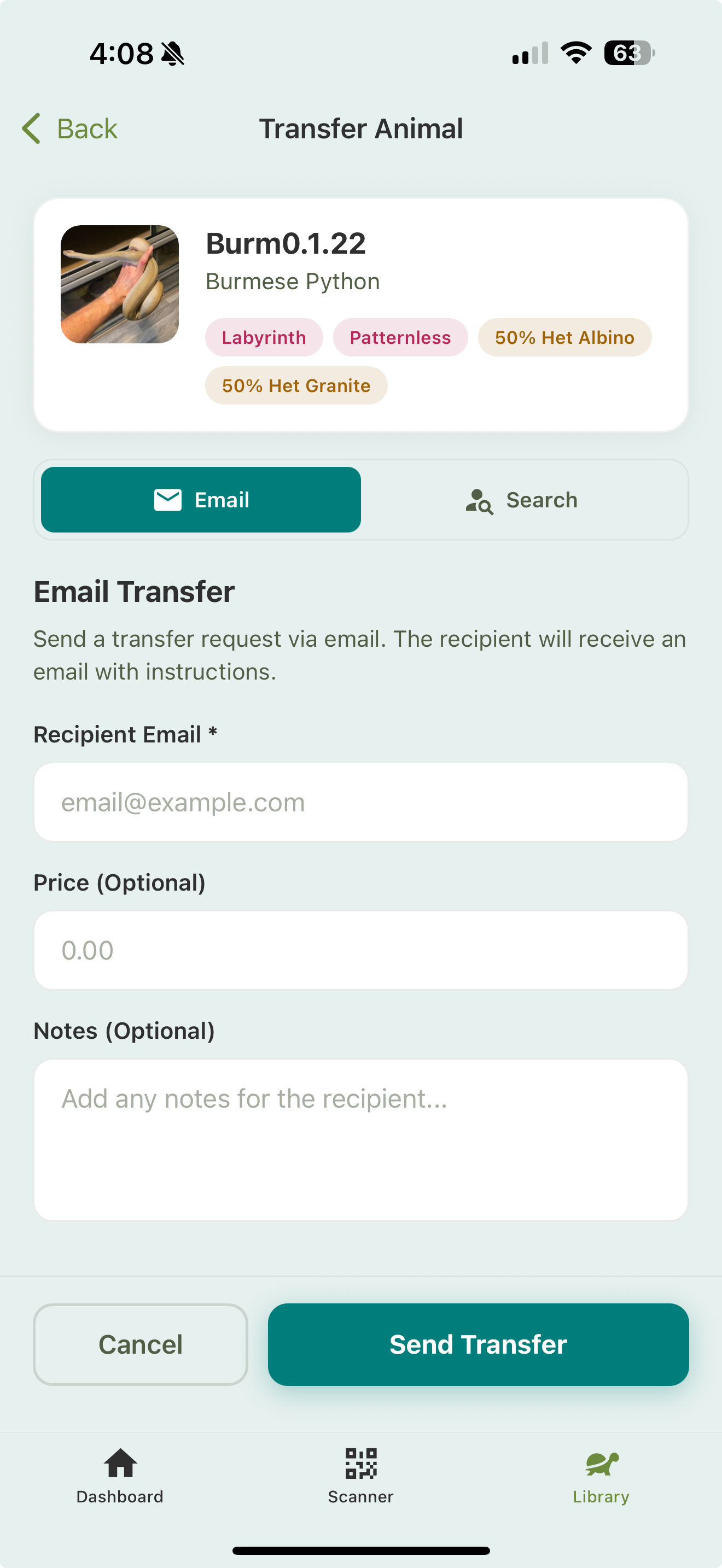
Starting a transfer
- Open the animal you want to transfer.
- Choose to transfer it.
- Pick how to reach the recipient:
- Search — find an existing Scutely user by name or email.
- Email — send a transfer request to any email address. If they don’t have Scutely yet, they can sign up and claim it.
- Optionally set a sale price and add notes for the buyer.
- Choose what to send (see below).
- Send the transfer.
An animal can only have one pending transfer at a time, and requests expire after 7 days if they sit unaccepted. You can resend or cancel a pending one from your alerts.
Choosing what history to send
Before sending, you pick which of the animal’s history goes with it: feeding, weight, length, shed, cleaning, water, and temperature events each have their own toggle. Medical history is off by default; turn it on only if you want the new owner to see it. Events from your own custom event types never transfer; they’re specific to your account.
What the recipient does
The recipient gets a request and accepts it from their side (they can rename the animal as they accept it). On acceptance, the animal moves to their collection with the history you chose to send.
After the transfer
- The animal leaves your collection and appears in the new owner’s.
- The history you chose to send travels with it.
- You can track pending transfers from your alerts and get notified when one is accepted.
Related
- Public animal pages — often used to advertise before a sale
- Show cards & selling