
Profile, Privacy, and Security Settings
Your account settings live in Settings, covering your public profile, privacy defaults, and security.
Profile
Your Personal Information screen holds:
- Profile photo — appears on your public profile and can be added to cards.
- Username — how other keepers find you for transfers.
- Full name, company name, and phone number — shown on your public profile and printed cards, if you choose to share them.
Privacy
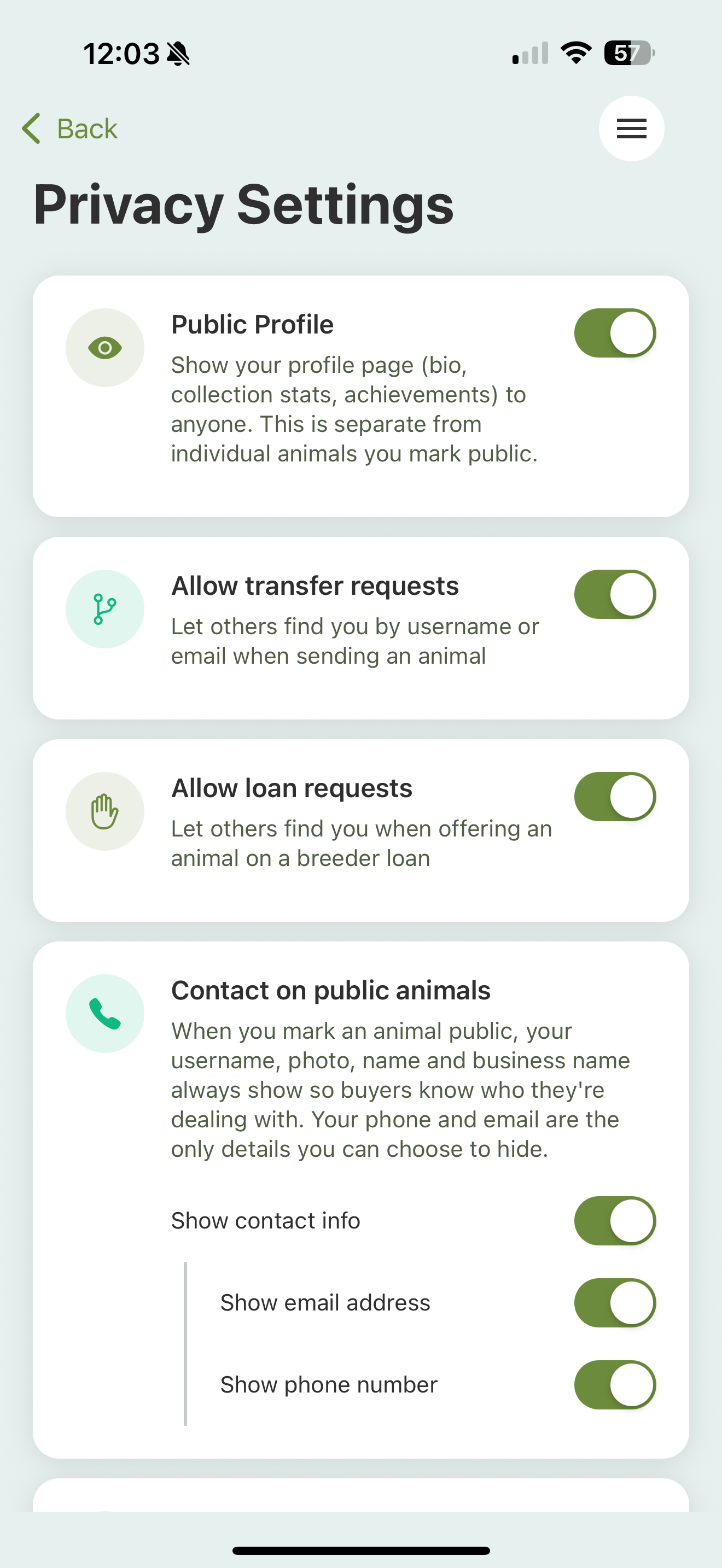
Privacy Settings control what the outside world can see:
- Public profile — whether others can view your profile page at all.
- Transfer requests — whether other keepers can find you by name or email to send you an animal.
When your profile is public, you choose exactly what it shows: your name and business name, contact info (email and phone individually), and collection stats like animal count, species count, and achievements.
Animal defaults set what public animal pages show by default: basics, traits, images, lineage, transfer history, and events. For events you can go per type (feeding, weight, shed, and so on) and choose whether to show everything or just the latest entry. Every animal can override these defaults on its own Privacy screen.
Medical records are never shown publicly, regardless of your settings. See Public animal pages.
Security
- Change your password — you’ll enter your current password, and the new one needs at least 8 characters with upper- and lowercase letters and a number (no spaces).
- Change your email — Scutely sends a confirmation to the new address before the change takes effect.
Deleting your account
If you want to remove your account entirely, see Deleting your account.