
Reptile Feeding and Care Schedules
Scheduling tells Scutely what care is due and when. Set a schedule on a single animal or a whole group, then work through what’s due in the To-Do area.
Creating a schedule
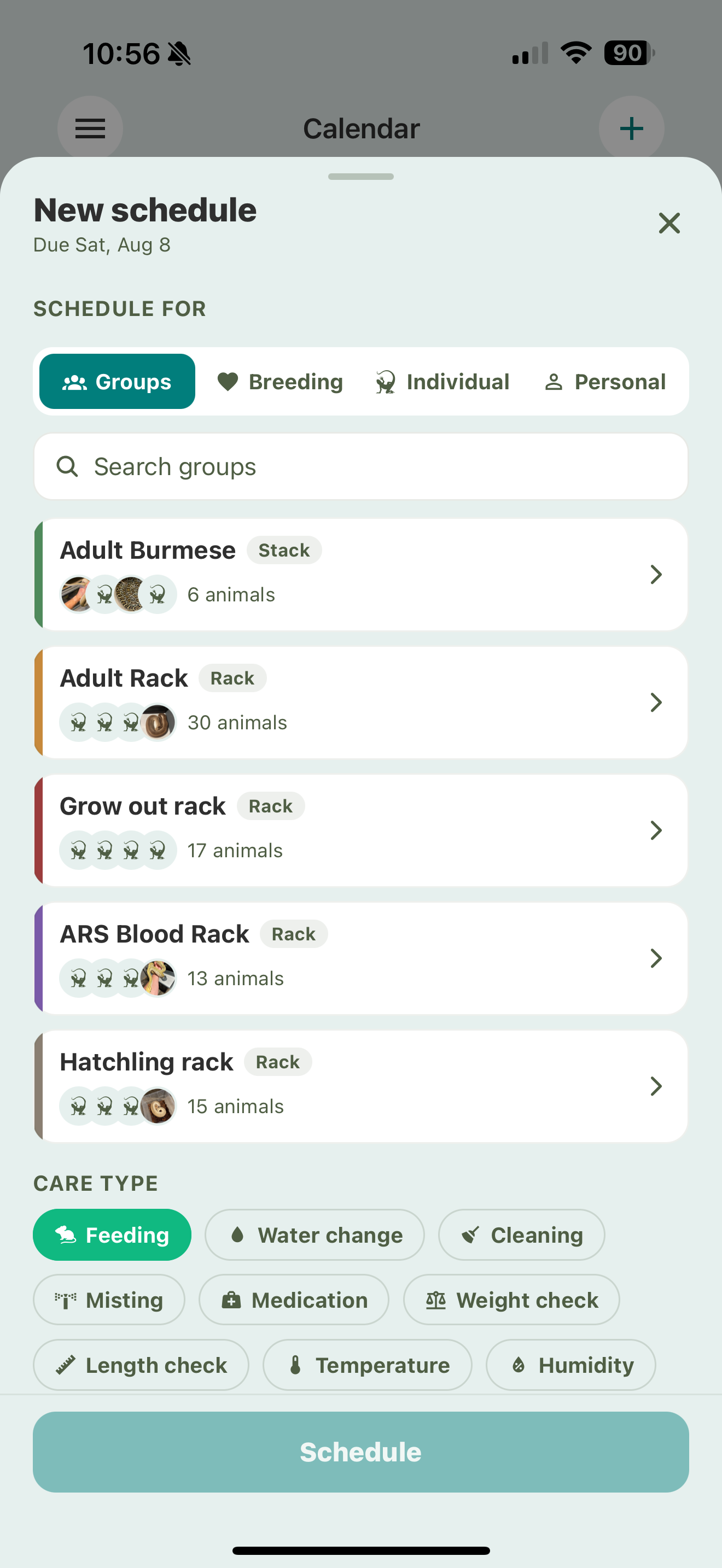
Tap Schedule — from the To-Do area, a group, or an animal’s profile — and set it up:
- Choose what it’s for. A single animal, a group or rack, a breeding group, or just you (a personal reminder not tied to an animal).
- Pick the care type — feeding, cleaning, water, misting, or medication. You can also schedule your own custom event types and breeding events.
- Set the repeat:
- Once — a single due date.
- Every X days — e.g. every 7 days.
- Weekly — pick the weekdays it should happen.
- Monthly — a day of the month.
- Choose reminders (optional) — how many days ahead you want a heads-up, and whether to be nudged again if a task slips past its day. See Care reminders.
- Save.
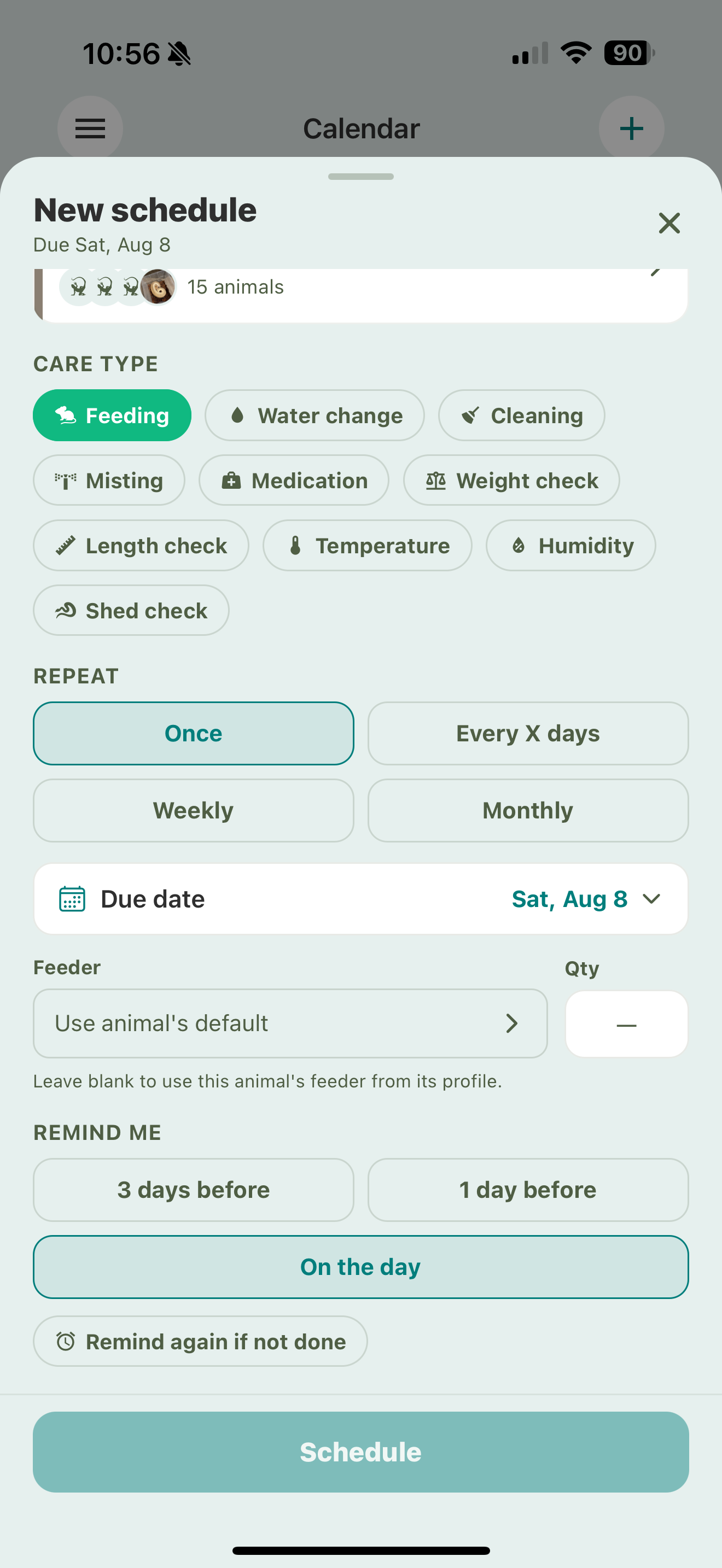
For a feeding schedule you can also set the feeder and quantity here, or leave the feeder blank to use each animal’s own prey item.
When you schedule care on a group, every animal in it follows along — one schedule covers the whole rack.
The To-Do area
The To-Do area has three tabs:
Today
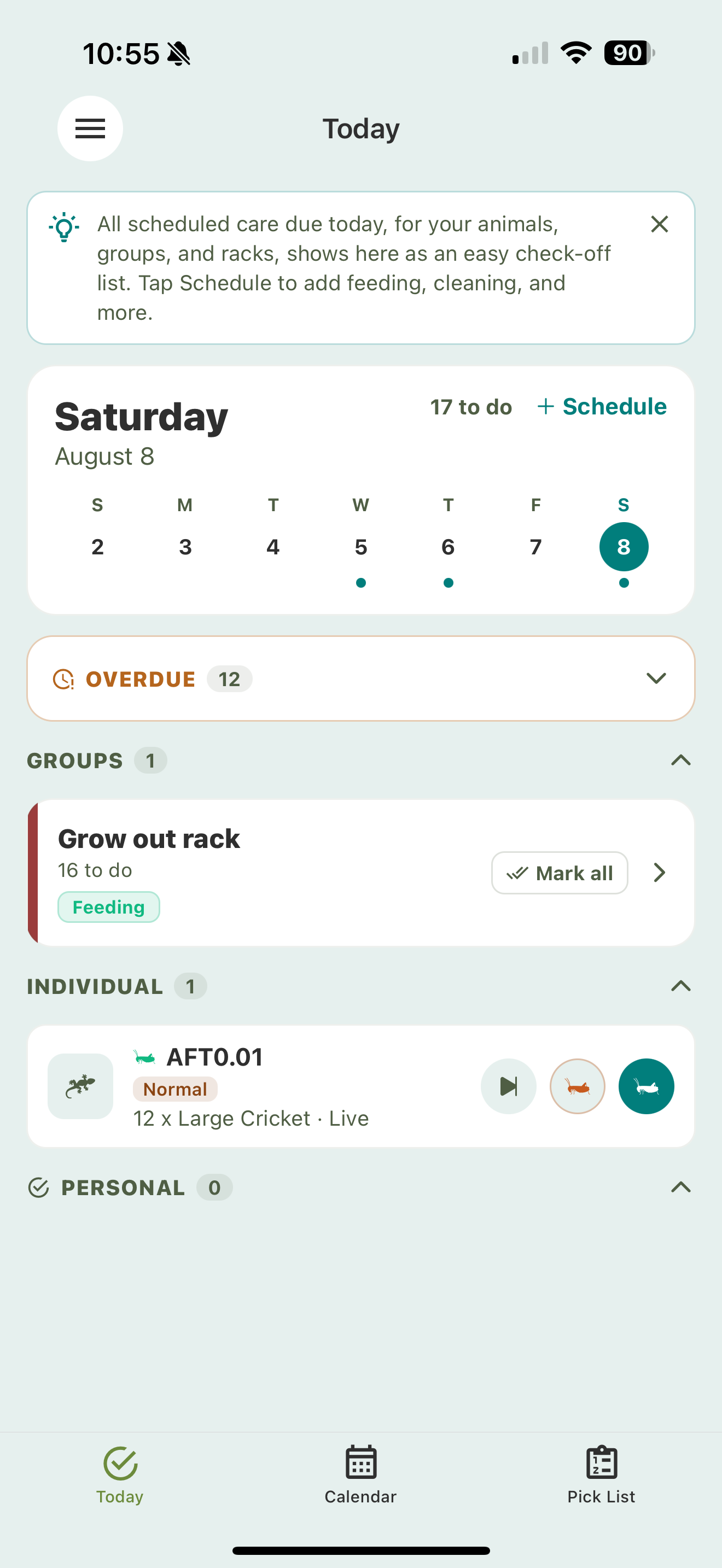
Everything due today, as an easy check-off list, grouped by group, rack, or stack and by individual animals. Anything overdue shows at the top.
Check a task off with its outcome:
- Fed or Refused for feeding (this also logs the feeding event for you).
- Done for other care.
- Skip if you’re not doing it this time.
Logging the care event yourself — by scanning or by hand — also checks the task off automatically, so you never do it twice.
Calendar
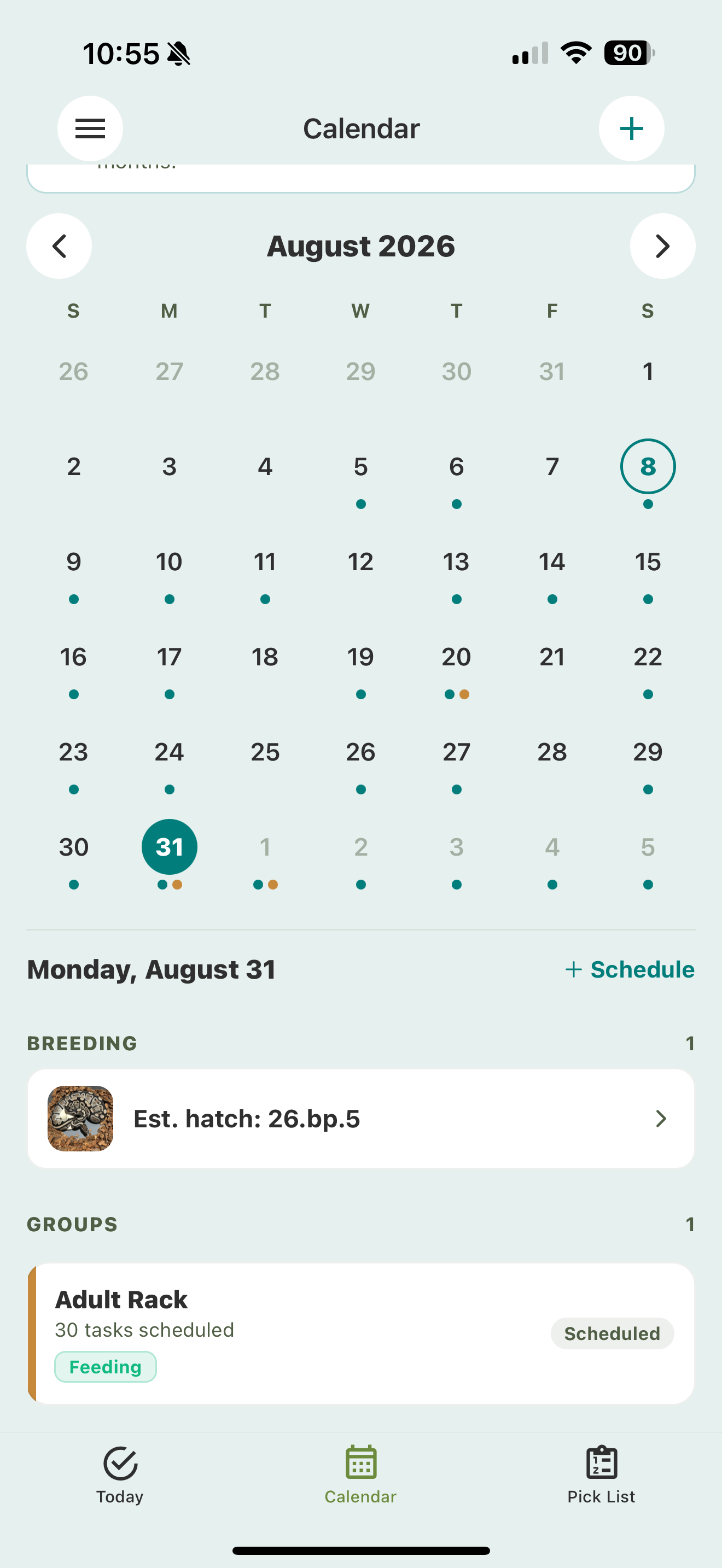
A month view of what’s coming up, as far out as you’ve scheduled. Tap a day to see its tasks. Future days are read-only — you check tasks off on the day they’re due.
Pick List
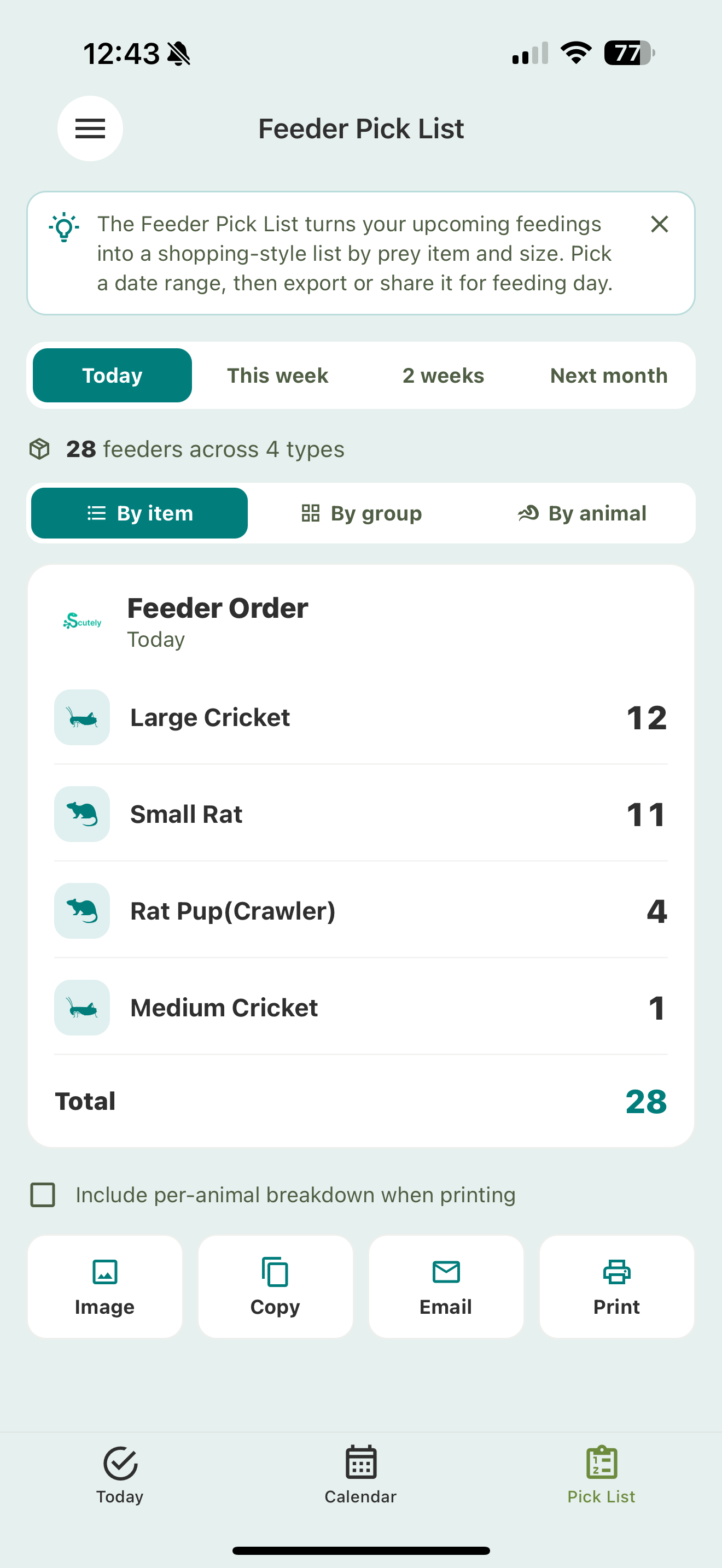
Your upcoming feedings turned into a shopping-style list, grouped by prey item and size, with date ranges. Switch between By item, By group, and By animal, then export or share it so you know exactly what to pull for feeding day. See Care groups, racks & cage stacks for the per-group feeder breakdown.
If some animals don’t have a prey item set yet, the Pick List shows a banner so you can set them in a few taps.