
Collection Defaults: Pre-Fill New Animal Profiles
If you keep mostly one kind of animal, Collection Defaults save you from re-entering the same details every time. Set them once, and new animals (and Smart Imports) start pre-filled.
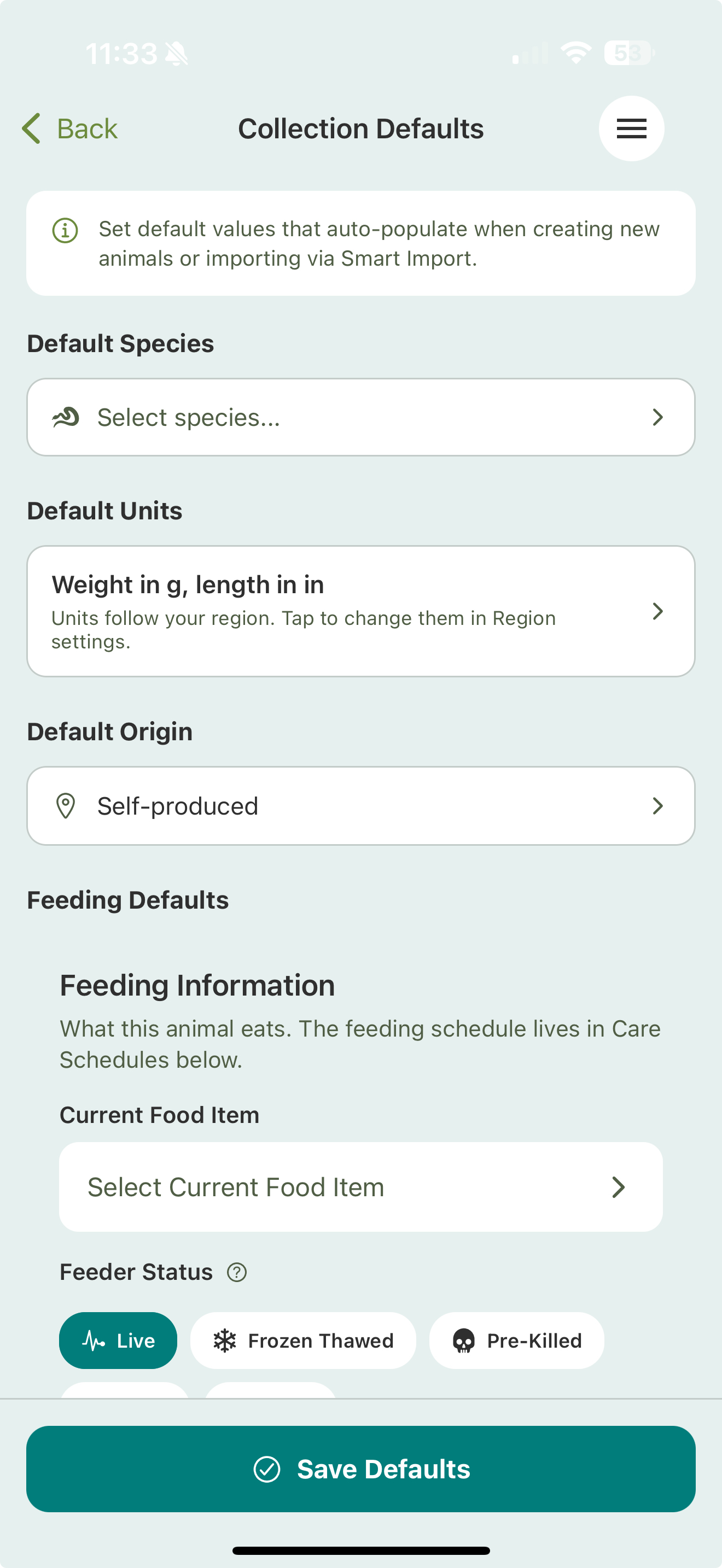
What you can set
- Default species — the species new animals start with.
- Default units — weight (g, kg, oz, lb) and length (mm, cm, m, in, ft).
- Default origin — self-produced, domestic, or wild caught.
- Feeding defaults — the current food item, quantity, feeder status, and supplement. Feeding cadence lives in Care Schedules, not here.
- Environment defaults — enclosure type (rack, tank, vivarium, bioactive, and more), substrate, hot- and cool-side temps, humidity, and water parameters for aquatic setups.
- Behavior defaults — temperament, activity level, and whether the animal is safe to handle.
There’s a Clear All Defaults button if you want to start over.
Setting your defaults
- Go to Settings.
- Open Collection Defaults.
- Set the values you want new animals to start with.
- Tap Save Defaults.
From then on, creating an animal or running a Smart Import starts from these values.
Related
- Adding animals & Smart Import
- Custom event types and custom feeders live under your account’s custom content settings.