
Reptile Quarantine Tracking, Favorites, and Deceased Records
A few small tools that make a big collection easier to manage: quarantine tracking, favorites, and records for animals that have passed.
Quarantine
Mark an animal as under quarantine to keep new arrivals or animals under observation clearly flagged.
- Open the animal’s profile.
- Turn on quarantine, and optionally set a start date, end date, and reason.
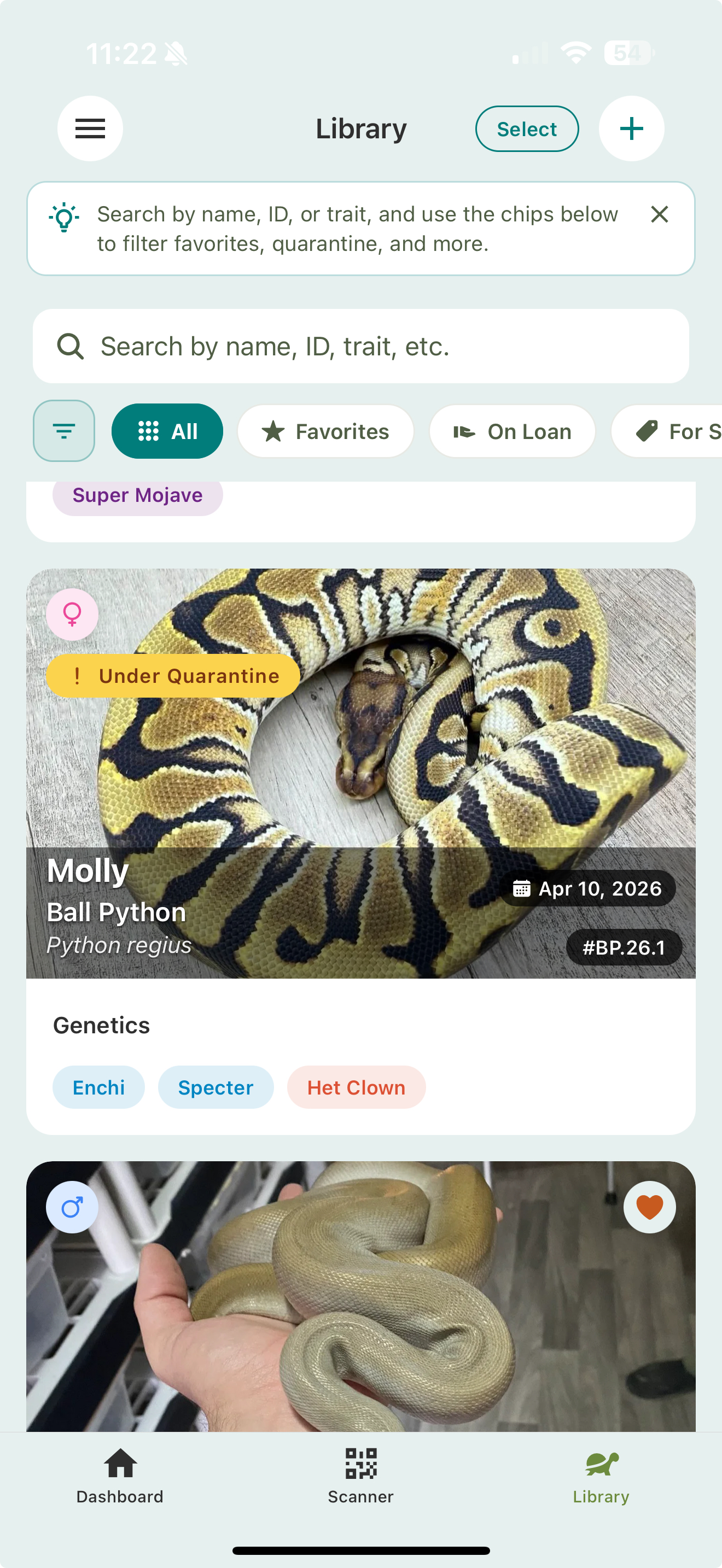
Quarantined animals show an Under Quarantine badge on their card in the Library, and you can filter to see just the animals currently in quarantine, which helps keep isolation routines straight.
Favorites
Favorite the animals you open most: breeding projects in progress, a sick animal you’re watching, or your personal pets.
- Tap the heart on an animal to favorite it.
- Filter to favorites in the Library to pull up your key animals quickly.
Deceased animals
When an animal passes, you don’t have to delete it. Mark it deceased with the date and cause. Its records stay intact (which matters for lineage: a deceased sire is still a sire), but it’s hidden from your Library by default. Use the Show Deceased filter when you need to look one up.
Related
- Animal Library — filtering and sorting
- Animal profiles — where you set quarantine