
Your Reptile Care Dashboard
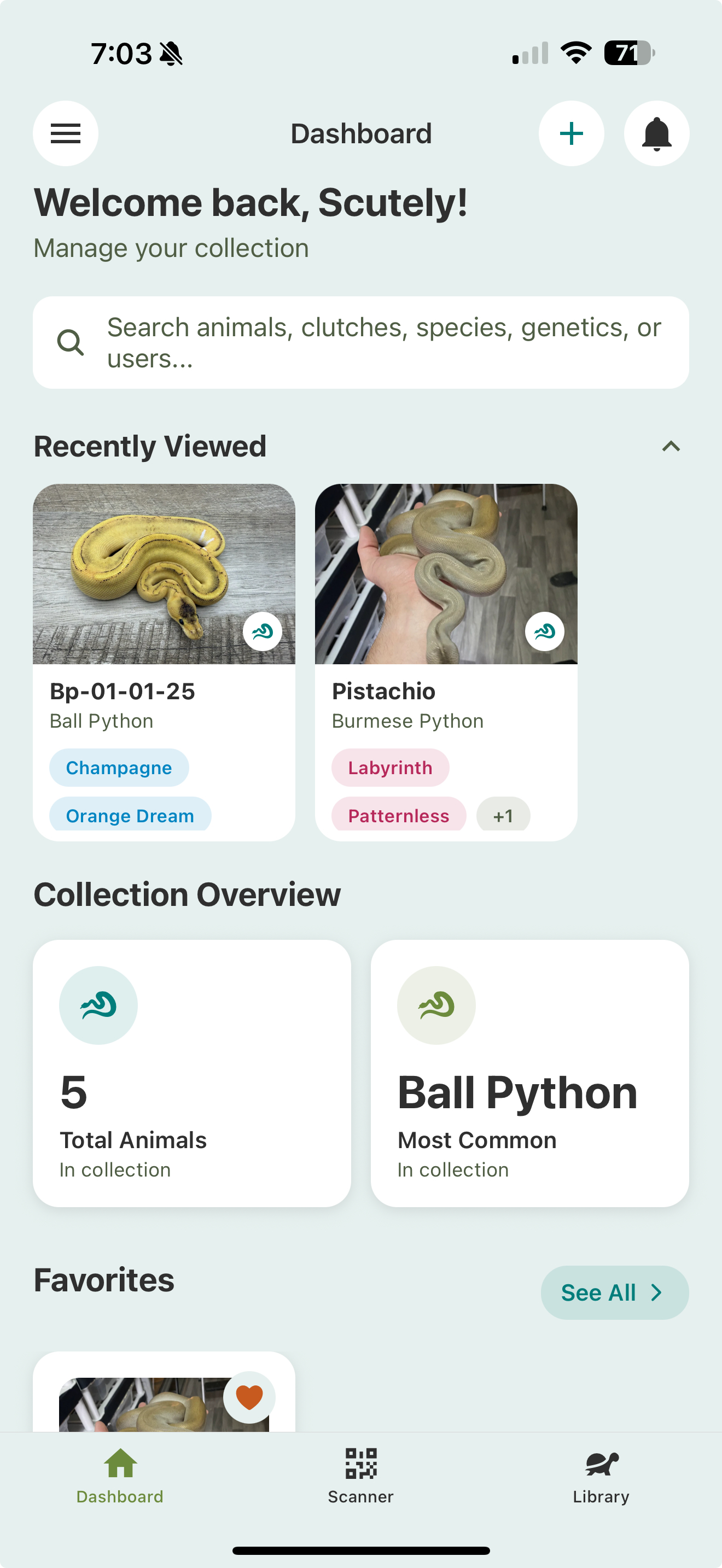
The dashboard is the first thing you see when you open Scutely. It’s a snapshot of your collection with quick ways back to whatever you were doing.
Search
The search bar at the top finds animals, clutches, species, genetics, or users across your collection.
Recently Viewed
Just under the search bar, the Recently Viewed strip shows the animals, groups, clutches, breeding groups, and HerpDex pages you last opened, so you can jump right back to them. Tap the arrow next to it to collapse the strip.
Due tasks banner
When you have care tasks due or overdue, a slim banner appears near the top. Tap it to jump straight to your Today list.
Sections
Below that, the dashboard is made up of sections:
- Collection Overview — animal and species counts, and incubation totals.
- Favorites — your favorite animals, each showing its traits at a glance.
- Hatching Soon — clutches getting close to their expected hatch date.
- Community Votes — active HerpDex trait votes you can weigh in on.
- Recent Activities — the latest events across your collection.
Choosing what shows
You can hide the sections you don’t use. Go to Settings → Appearance → Dashboard Sections and turn any section on or off. Collection Overview always stays.